> For the complete documentation index, see [llms.txt](https://features.sstrader.com/sstrader-tutorials/llms.txt). Markdown versions of documentation pages are available by appending `.md` to page URLs; this page is available as [Markdown](https://features.sstrader.com/sstrader-tutorials/sstrader-es/crear-un-nuevo-modelo/filtro-de-estadistica.md).
# Filtro de Estadística
* Disparos totales, a puerta, fuera
* Ataques y Ataques Peligrosos
* Esquinas
* Posesión del balón (ten en cuenta que las ligas más bajas pueden no tener estos datos)
* Tarjetas amarillas y rojas
* Sustituciones
* Goles
* Penales
* El índice SSTrader
Estos indicadores pueden ser para un equipo o combinados para ambos equipos. Hay muchas posibilidades de personalización.
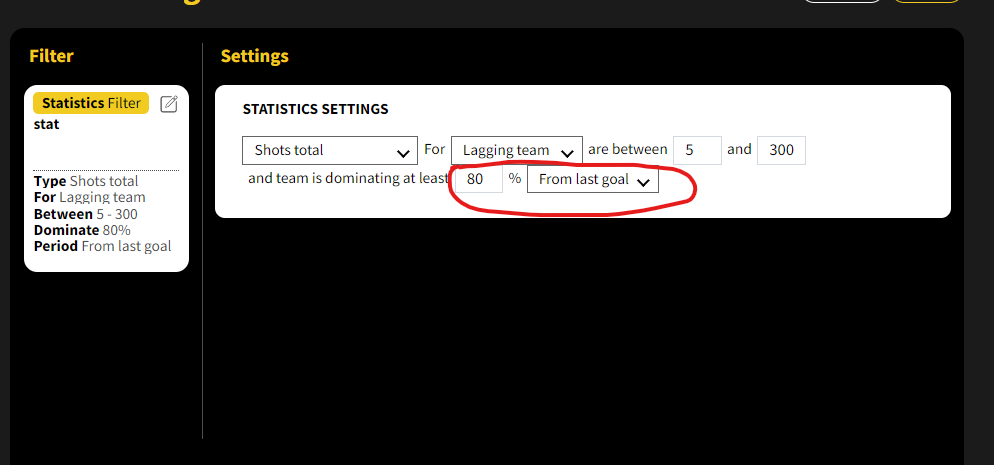
Como ejemplo, puede configurar un filtro para partidos en los que el número total de disparos para el equipo Retrasado sea de 5 o más después del último gol anotado, y el equipo Retrasado domine este indicador en un 80%. Esto significa que después del último gol, el 80% de los disparos son del equipo Retrasado. También puedes elegir seguir las estadísticas además del
-"Último gol anotado" para diferentes períodos de tiempo, como el Partido completo, Solo Primer Tiempo, Solo Segundo Tiempo, los últimos 5 minutos, los últimos 10 minutos, los últimos 15 minutos o los últimos 20 minutos. Alternativamente, puedes seguir las estadísticas desde la Tarjeta Roja.